User management
Unlimited users
The maximum number of users is not limited in any way. Unlike some other servers, you don’t need to pay us more money just to add more users. User information is stored securely in an internal database.
Windows Active Directory integration (optional) PROedition
You can link a Windows account to a user account in Buru Server. Authentication is then handled by Windows, using the account’s existing credentials. Both local system accounts and Active Directory accounts are supported.
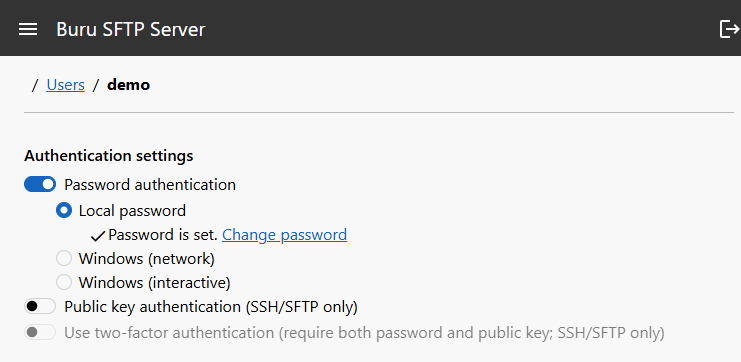
Authentication methods
- Password
- Password is validated using a password hash stored in the internal database or by the Windows host, using a Windows account associated to the user.
- Public/private key
- The authenticity of the connecting user is verified using asymmetric cryptography, requiring the user to have a SSH private key corresponding to the public key stored in the internal database on the server.
Multifactor authentication
It is possible – and recommended – to combine multiple authentication modes (public key + password).
See also (documentation): Configuring user authentication methods