
How to apply your license key
Rebex Buru SFTP Server is licensed on a per-machine basis. Whether you are using a trial, a non-commercial license, or a professional license, you must apply your license key to the server to ensure uninterrupted service. See Licensing for available license types.
To purchase a professional license, visit the Rebex website — your license key will then be available on your member page. To request a free non-commercial license, fill out the request form and the key will be sent to you by email.
Application methods
You can apply your license key using the Web Administration tool or by manually placing the license file in the configuration directory.
Register via Web Administration
This is the most convenient method if you have the Web Administration tool running.
- Log in to the Web Administration interface. By default, it is accessible at
http://localhost:8880. - Click the license information link in the bottom-left corner of the interface.
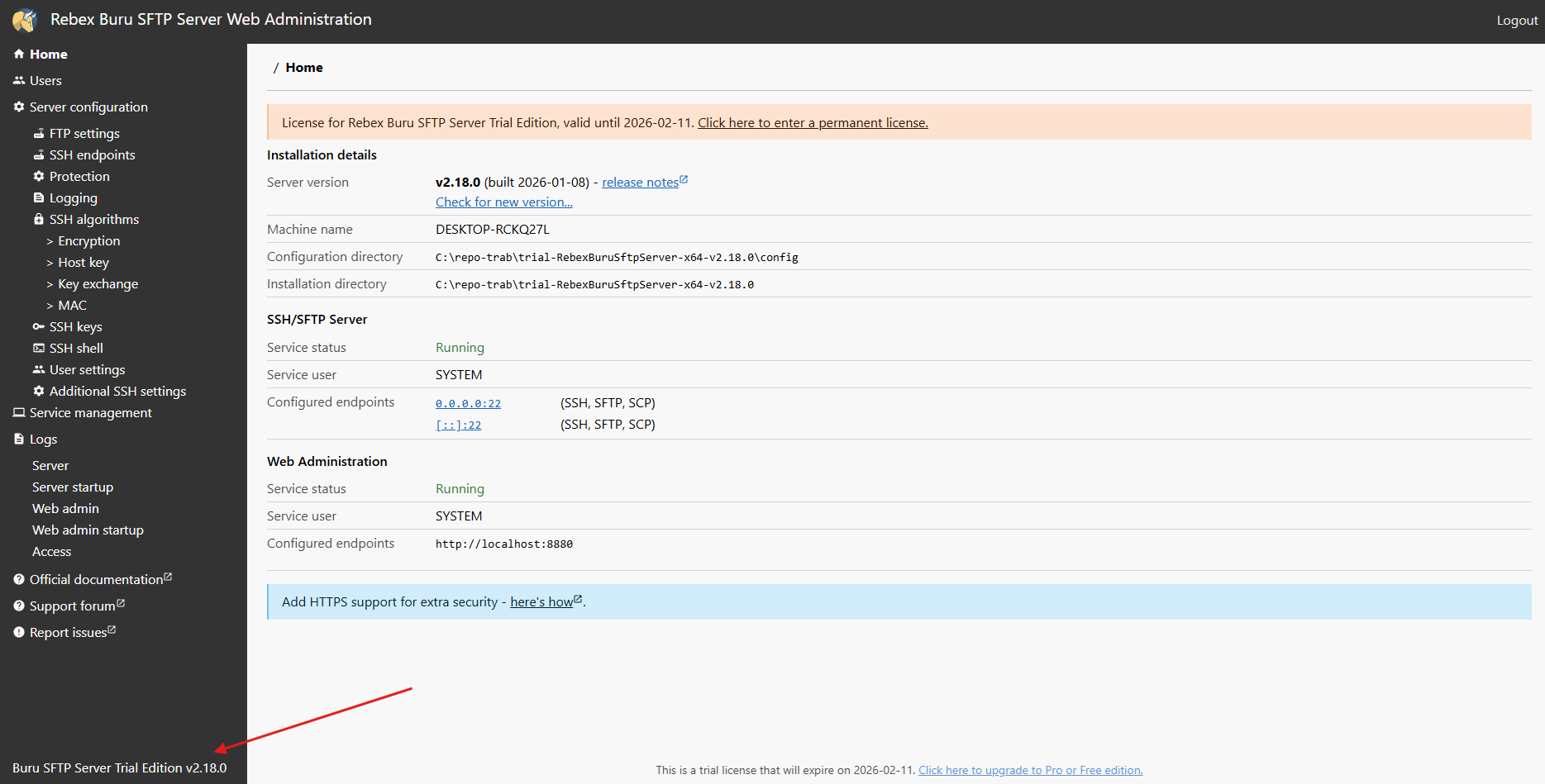
- Paste the license key content into the Enter the license here field.
- Click the Update the License button to save the changes.
Register via license.key file
Use this method if you do not use the Web Administration tool or prefer manual configuration. The location of the license.key file depends on your installation type:
- Installer version:
%PROGRAMDATA%\Rebex\BuruSftp(typicallyC:\ProgramData\Rebex\BuruSftp). - Portable version: The
configsubdirectory within your application folder (e.g.,D:\burusftp\config).
To apply the license, copy your license.key file into the configuration directory.